
Managing risk is one of the most important parts of successful trading. On Mudrex Futures, you can do this easily using built-in tools like Stop Loss, Take Profit, and Liquidation Price indicators. Here’s how to use them before you place a trade.
Step 1: Open the Mudrex app and tap the Futures icon
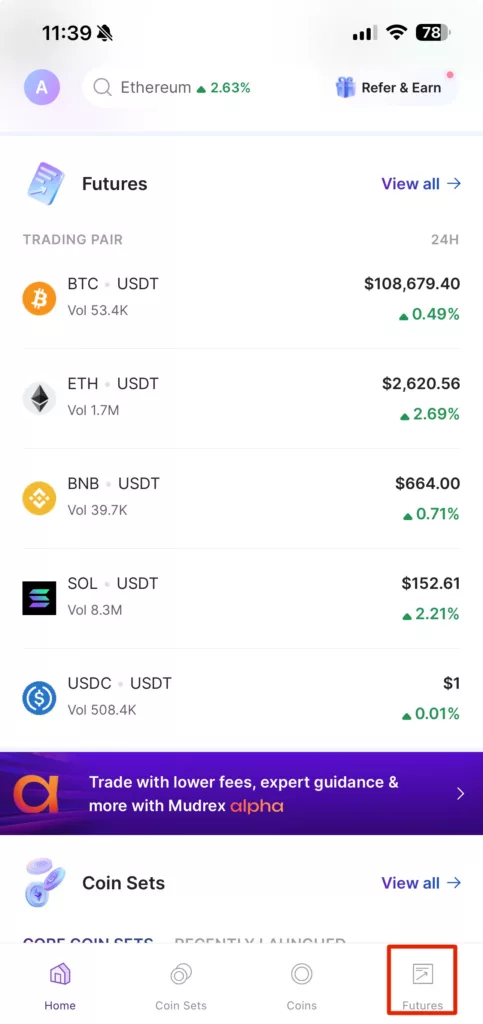
This will take you to the trading section where you can view pairs, check charts, and place orders.
If you haven’t done it yet, transfer USDT from your main wallet into your Futures wallet to fund your trade.
Step 2: Choose a Trading Pair and Set Your Order
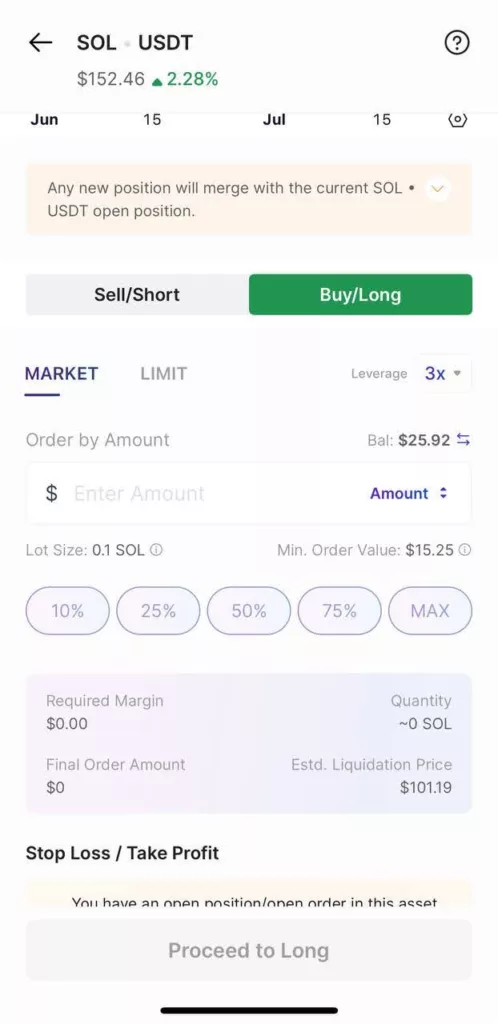
Once your Futures wallet is funded, choose a pair to trade — for this example, let’s go with SOL/USDT.
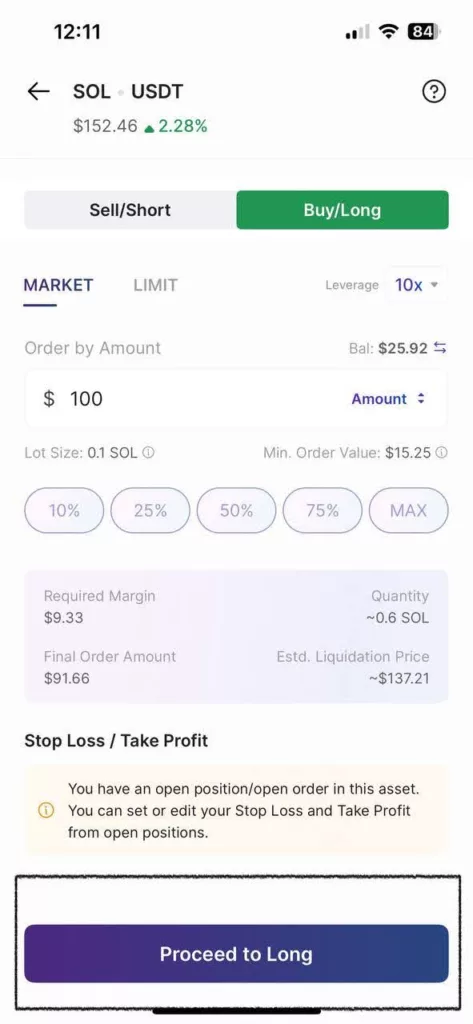
We’ll open a long position, expecting Solana’s price to rise. Set your leverage — here, we’re using 3x — and enter a trade size, say $50. The margin required in your wallet will be around $13.49, based on the leverage chosen.
Step 3: Check Your Liquidation Price
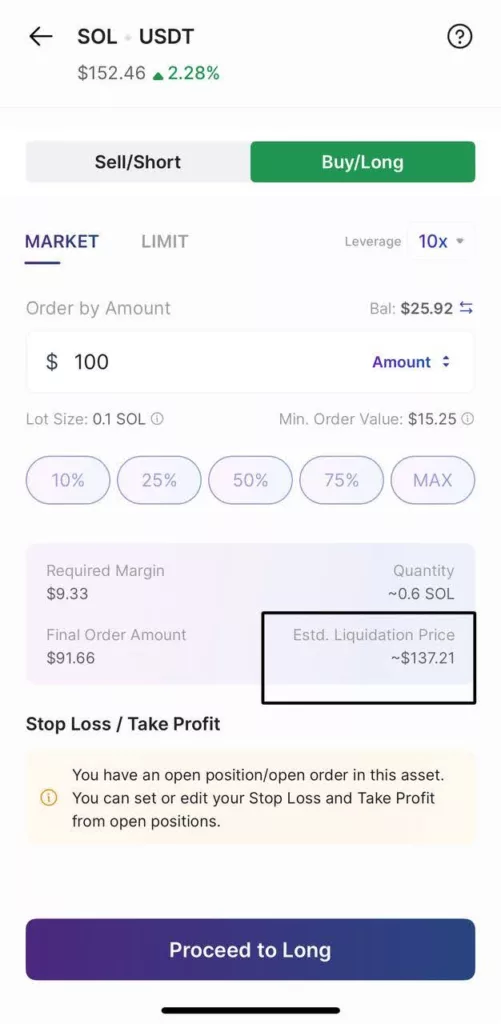
Before placing your order, always look at your Liquidation Price.
The liquidation price is the price at which your position will automatically close if the trade moves too far against you.
It helps you understand how much room your trade has before it risks being exited.
Step 4: Use Take Profit and Stop Loss
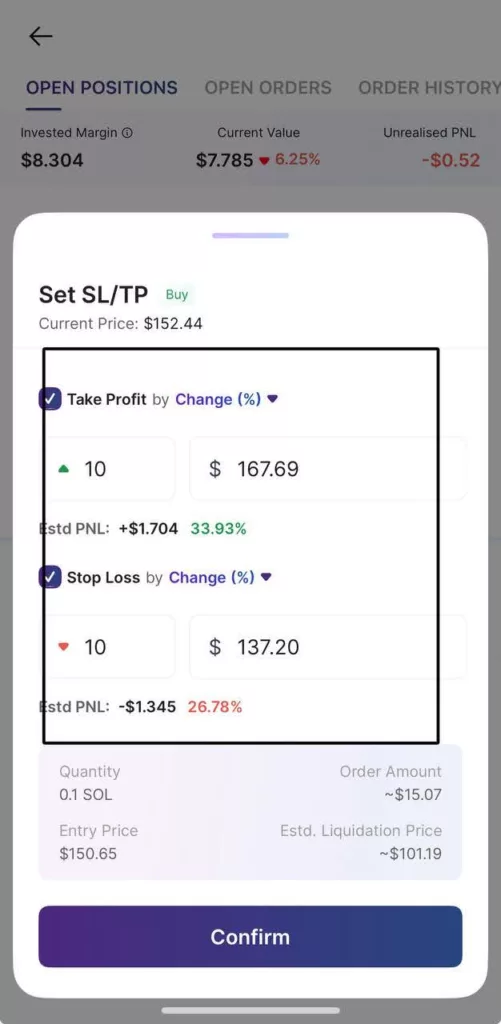
Tap ‘Take Profit’ to set the price at which your position should close in profit.
Once you enter a value, the app shows you your estimated gains in real time.
Next, tap ‘Stop Loss’ and enter a price that limits your downside.
This is the point where the trade will close automatically if the market turns against you. You’ll also see the maximum loss preview — so you always know what’s at stake.
Step 5: Review and Place the Trade
Once your risk levels are set, tap ‘Proceed to Long’ to place the trade.
You’ve now entered a position with clear risk boundaries — which means you’re not just guessing, you’re planning.
Using Stop Loss and Take Profit isn’t optional — it’s what makes you a disciplined trader.
Want to learn more? Explore our Learn section or check out other tutorials inside the app.