Mudrex users can connect their Mudrex account with KoinX to access crypto tax reports and assisted tax filing services. Once connected and consented, KoinX can fetch your Mudrex transaction history and help you generate reports required for tax calculation and filing.
You can connect Mudrex with KoinX in two ways:
- Connect via Mudrex
- Connect directly from KoinX
Option 1: Connect via Mudrex
This is the recommended method for Mudrex users.
On the Mudrex App
Follow these steps:
- Open the Mudrex app.
- Go to Profile.
- Tap Get Tax Reports.
- Select KoinX.
- Review and consent.
- Copy the Mudrex coupon code, if applicable.
- Tap Calculate Taxes using KoinX.
- You will be redirected to the KoinX website.
- Sign in to KoinX using your email address or Google account.
Once the sign-in is complete, your Mudrex transaction history will be fetched automatically and made available on KoinX for tax reporting and filing.
On Mudrex Web
The flow on Mudrex Web is as follows:
Profile > Get Tax Reports > KoinX > Consent > Redirect to KoinX > Sign In > View Transactions and Tax Reports
After you sign in to KoinX, your Mudrex transactions will be synced and available for report generation.
Option 2: Connect Directly from KoinX
You can also connect your Mudrex account from the KoinX website.
Follow these steps:
1. Visit the KoinX website.
2. Sign in using your email address or Google account.
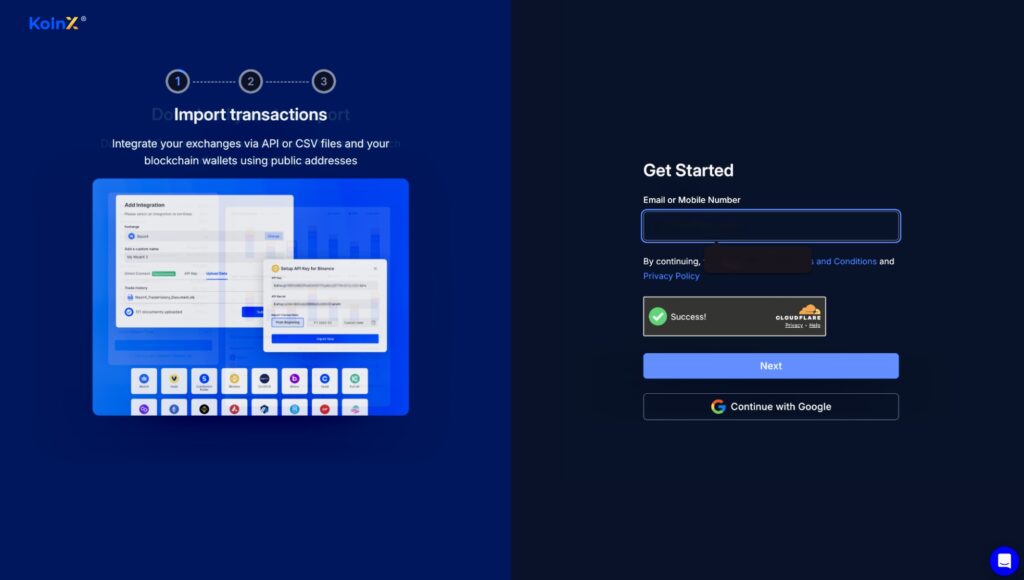
3. Go to Integrations.
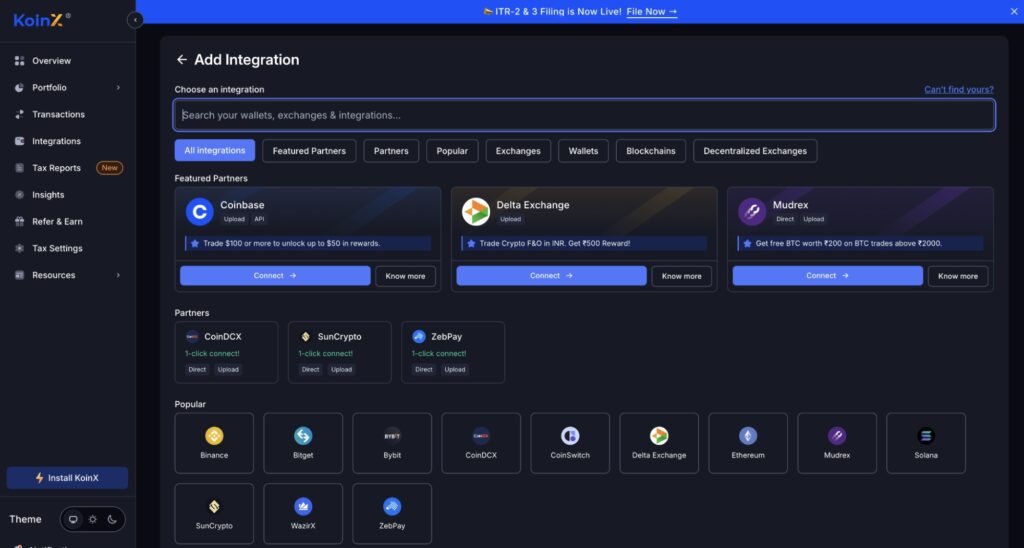
4. Search for Mudrex.
5. Click Connect Mudrex Wallet.
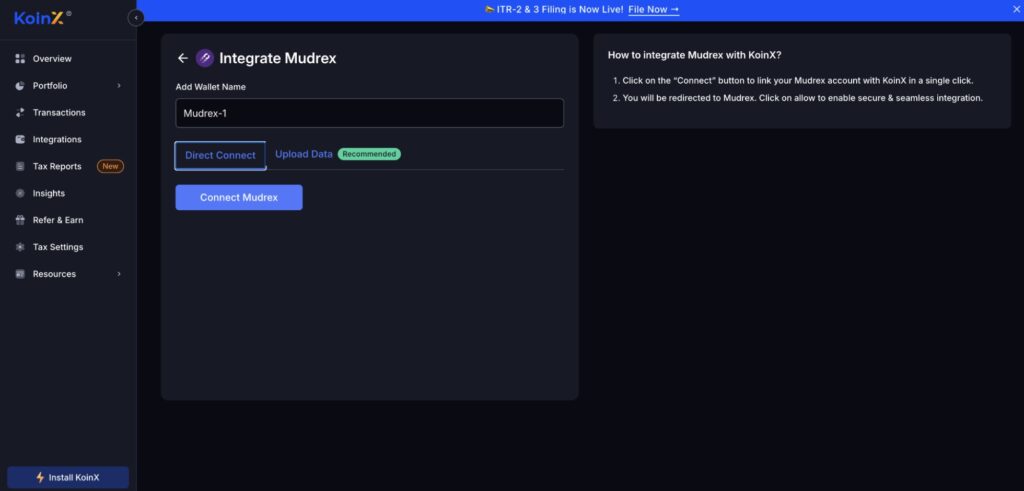
You will then be able to choose one of the available integration methods.
Method A: Direct Connect
This is the recommended method when connecting from KoinX.
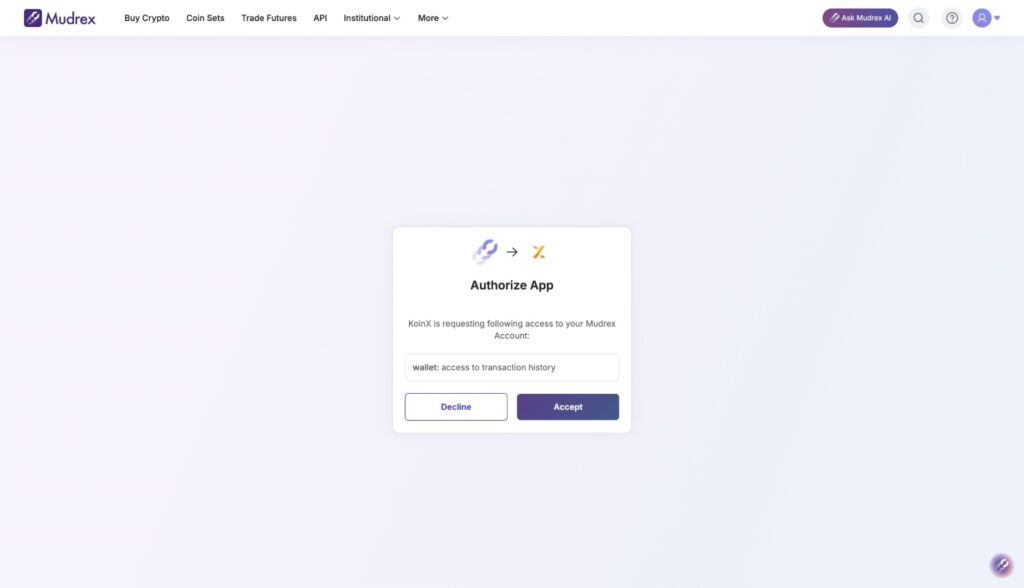
Follow these steps:
- Select Direct Connect.
- You will be redirected to Mudrex.
- Log in to your Mudrex account.
- Review the consent request.
- Provide consent for KoinX to access your Mudrex transaction history.
- You will be redirected back to KoinX.
Once the connection is complete, your Mudrex transactions will be synced automatically and will be available on KoinX for tax reporting.
Method B: Upload Transaction Statement
You can also upload your Mudrex transaction statement manually on KoinX.
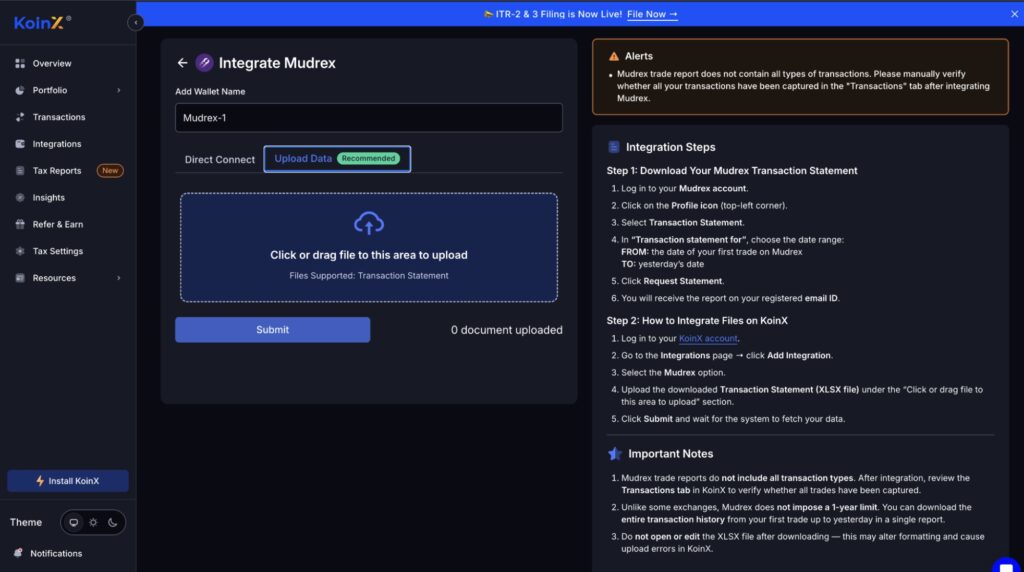
Follow these steps:
- Download your Transaction Statement from the Mudrex app for the required period.
- Sign in to KoinX.
- Select Upload Data.
- Upload the downloaded transaction statement.
- Click Submit.
KoinX will process the uploaded file and generate a summary of your transactions.
Please note that Transaction Statement download is currently available only on the Mudrex app.
Services Available on KoinX
After your Mudrex account is connected, KoinX can help you generate tax reports and access tax filing support.
Crypto Tax Reports
KoinX allows users to generate detailed crypto tax reports using accounting methods such as FIFO, LIFO, HIFO, and Average Cost.
Available reports include:
- Complete Tax Report
- Schedule VDA Report
- Transaction History Report
- Buy/Sell Report
- TDS Summary
These reports can help users review their crypto transactions and calculate tax-related information.
Tax Filing Services
Users can also opt for assisted tax filing services on KoinX. Under this service, KoinX helps prepare and file the Income Tax Return with support from tax professionals.
Why Connect Mudrex with KoinX?
Connecting Mudrex with KoinX helps users access their Mudrex transaction history in one place for tax reporting. It reduces the need to manually organize transactions and allows users to generate reports required for tax calculation and filing.
Once connected, users can review their Mudrex transactions, generate crypto tax reports, and proceed with tax filing through KoinX.
Summary
Mudrex users can connect their account with KoinX either through Mudrex or directly from the KoinX website. The recommended method is to use the direct connection flow, as it allows transactions to be synced automatically after user consent.
Users who prefer a manual option can download their transaction statement from the Mudrex app and upload it to KoinX.
For users looking to generate crypto tax reports or file taxes, the Mudrex and KoinX integration provides a simple way to access transaction data and complete the reporting process.
NOTE: Your new and improved Tax Reports & Filing experience is here.
Update your Mudrex app now to access it.