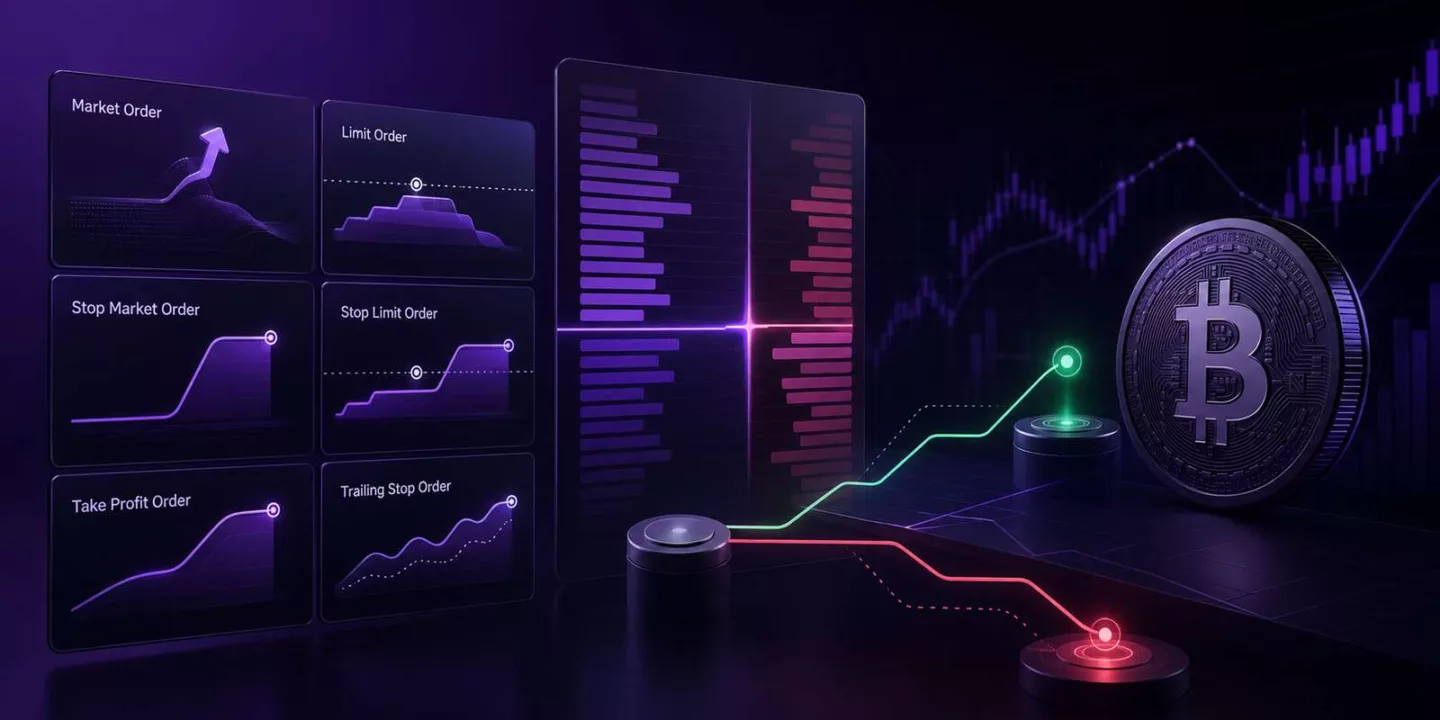

You spot what looks like the perfect Bitcoin setup. The price reaches your target, and you’re ready to enter the trade.
There’s just one problem.
The trading platform asks you to choose between a Market Order, Limit Order, and several other order types you’ve probably never used before.
For many beginners, this is where confusion starts. Choosing the wrong order type doesn’t necessarily mean your trade idea is wrong, but it can affect how, when, or even whether your order gets executed. In fast-moving markets, that difference can have a real impact on your entry price, trading costs, and overall risk management.
Learning crypto futures order types isn’t about memorising trading terminology. It’s about understanding which tool fits the situation you’re in. Some orders prioritise speed, others prioritise price, and some are designed to help protect your position when the market moves unexpectedly.
Let’s start with the two order types every futures trader uses most often.
A Market Order is the fastest way to enter or exit a trade.
Instead of choosing the exact price you want, you instruct the exchange to execute your order immediately at the best available price in the order book.
Imagine Bitcoin suddenly breaks above an important resistance level, and you believe the move could continue. Rather than waiting for a specific price, you place a Market Order so your position is opened as quickly as possible.
The advantage is speed. A Market Order is useful when entering or exiting quickly matters more than controlling the exact fill price.
The trade-off is that you don’t control the final execution price. In highly volatile markets or on trading pairs with lower liquidity, the actual fill price may differ slightly from the price you expected. This difference is known as slippage.
Because a Market Order removes liquidity from the order book, it’s usually treated as a taker order, meaning taker fees typically apply.
A Limit Order gives you more control over the price you want to trade at.
Instead of buying or selling immediately, you choose a specific limit price, and your order is placed in the order book until the market reaches that level.
Suppose Bitcoin is trading at $118,000, but you believe a pullback to $116,500 offers a better entry. Rather than chasing the current price, you place a Limit Order at your preferred level and wait.
The biggest advantage is price control. You decide the maximum price you’re willing to pay when buying or the minimum price you’ll accept when selling.
The downside is that your order may never be filled. If the market continues moving away from your chosen price, the opportunity could pass without your trade being executed.
When a Limit Order adds liquidity to the order book instead of removing it, it’s considered a maker order, which often qualifies for lower maker fees on many crypto futures exchanges.
Knowing when to prioritise speed and when to prioritise price is one of the first practical skills every futures trader develops. Choosing the right order type won’t guarantee a profitable trade, but it can help you enter the market more efficiently while avoiding unnecessary execution mistakes.
Entering a trade is only half the job. Knowing when to exit is just as important.
Many beginners spend time planning the perfect entry but give very little thought to what happens after the trade is open. If the market moves sharply while you’re away from your screen, hesitation can turn a manageable loss into a much larger one.
That’s where stop orders come in. Instead of reacting emotionally during market volatility, you can decide your exit conditions in advance and let the exchange execute them automatically.
The two stop orders you’ll come across most often are Stop-Market Orders and Stop-Limit Orders.
A Stop-Market Order becomes a Market Order once the market reaches a predetermined trigger price.
Suppose you open a long Bitcoin futures position at $118,000 and decide you don’t want to risk more than a small percentage of your trading capital. You set a Stop-Market Order at $116,500.
If Bitcoin reaches that trigger, the venue submits a market order to reduce or close the position at available prices. The final fill may differ from the trigger, especially in a fast or thin market.
The main advantage is a higher likelihood of execution than a stop-limit order, although no order removes the risks of slippage, thin liquidity or venue disruption.
The trade-off is price certainty. Because the order converts into a Market Order, the final execution price may differ slightly from your trigger price during periods of high volatility. This is another form of slippage.
A Stop-Market Order is often simpler when execution is prioritised, but traders must still account for slippage and the platform’s trigger settings.
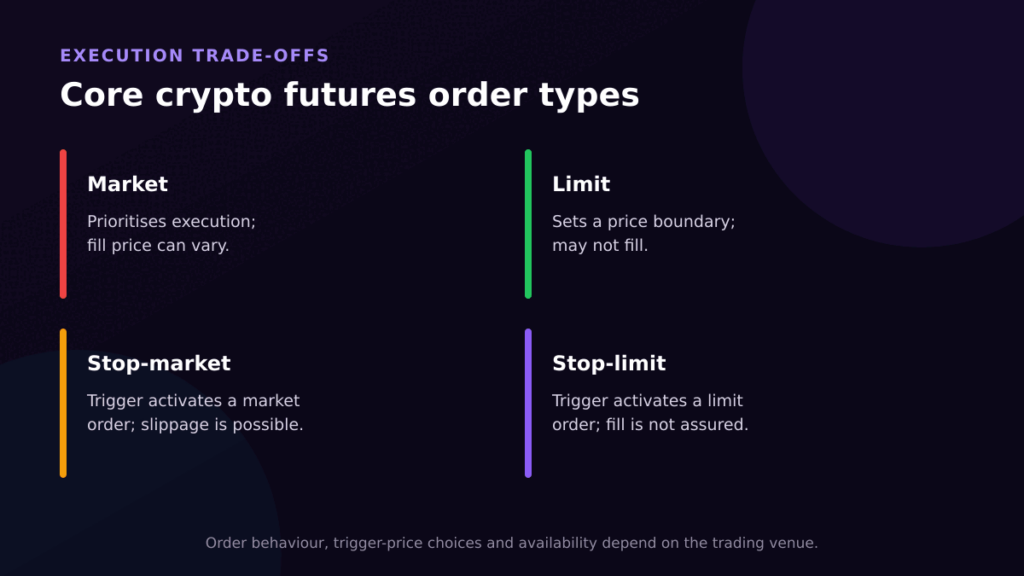
A Stop-Limit Order also uses a trigger price, but instead of placing a Market Order when triggered, it places a Limit Order.
Imagine you set a trigger price of $116,500 with a limit price of $116,450. Once Bitcoin reaches the trigger, the exchange places a Limit Order at your chosen price.
This gives you more control over the execution price, which can be useful if you’re trying to avoid significant slippage.
The trade-off is that execution isn’t guaranteed. If the market moves through your limit price too quickly, your order may remain unfilled while the market continues moving against you.
For that reason, many beginner traders prefer Stop-Market Orders when managing risk, while Stop-Limit Orders are more commonly used in situations where price control is especially important.
| Order Type | Best Used For | Biggest Advantage | Main Limitation |
|---|---|---|---|
| Market Order | Entering or exiting immediately | Fast execution | Possible slippage |
| Limit Order | Entering or exiting at a chosen price | Price control | May not be filled |
| Stop-Market Order | Automatically limiting losses | High execution certainty | Final price may vary |
| Stop-Limit Order | Triggering trades with price control | Greater control over execution price | May not execute |
Most crypto futures exchanges allow you to set Take Profit (TP) and Stop Loss (SL) when opening a trade or afterwards.
A Take Profit instruction submits an exit order when its trigger is reached. The exact fill depends on whether the platform uses a market or limit instruction and on available liquidity.
A Stop Loss submits an exit instruction when the trigger is reached. It can help limit losses, but it does not guarantee an exact exit price.
Using both together helps define your trade before it even begins. You already know where you’ll take profits if the market moves in your favour and where you’ll exit if it doesn’t.
This not only improves risk management but also reduces the temptation to make emotional decisions while the trade is still open.
Markets don’t always move in a straight line. Sometimes a profitable trade keeps climbing, making it difficult to decide when to exit.
A Trailing Stop Order is designed for these situations.
Instead of staying fixed at one price, it automatically follows the market by a predefined distance as long as the price moves in your favour.
Imagine Bitcoin rises from $118,000 to $122,000 after you open a long position. Rather than manually moving your stop-loss higher, a Trailing Stop can adjust automatically, helping protect a larger portion of your unrealised profit while still giving the trade room to continue.
If the market eventually reverses by the specified amount, the Trailing Stop is triggered and closes your position.
Unlike a regular Stop Loss, a Trailing Stop can help you stay in a strong trend for longer while automatically protecting gains as the market moves.
As you become more comfortable with crypto futures trading, you’ll notice a few extra order settings that don’t receive as much attention as Market or Limit Orders. They may seem optional at first, but they can make a noticeable difference to how your trades are executed.
A Post-Only Order is designed for traders who want to add liquidity to the order book rather than remove it.
If your order would execute immediately, the exchange cancels it automatically instead of turning it into a Market Order. This ensures your order is placed as a maker order, which may qualify for lower maker fees on many crypto futures exchanges.
For most beginners, this isn’t an order you’ll use every day. However, once you start paying closer attention to trading costs and execution, Post-Only Orders can become a useful way to improve efficiency.
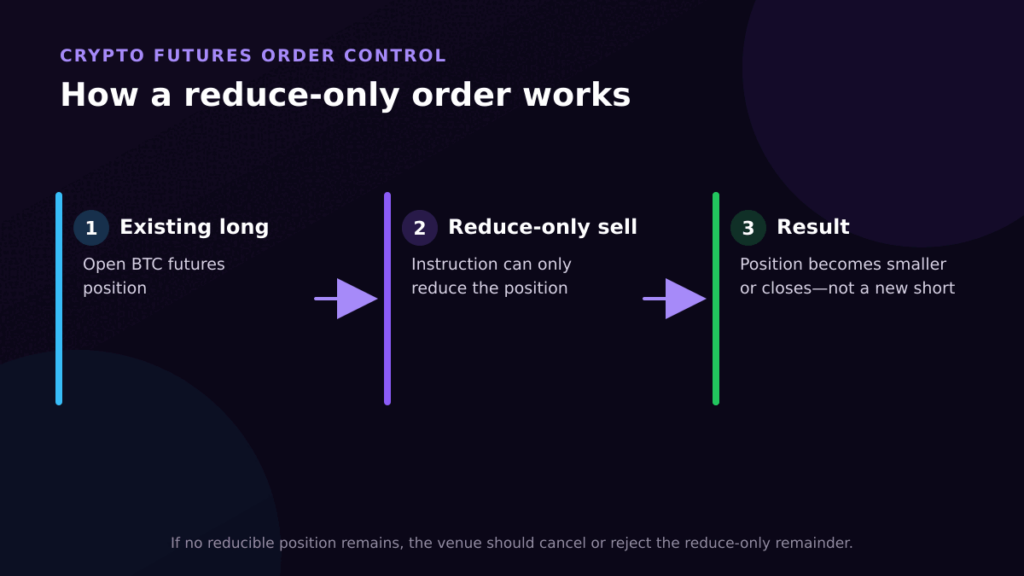
A Reduce-Only Order helps prevent one of the easiest execution mistakes to make.
Imagine you’re holding a long Bitcoin futures position and place a sell order to close it. If your position is already closed before that order executes, a standard sell order could accidentally open a new short position.
A Reduce-Only Order removes that risk. It can only reduce or close your existing position. If there’s nothing left to close, the exchange simply cancels the remaining order.
It’s a small feature, but one that gives you extra confidence when managing positions in fast-moving markets.
When placing certain orders, you’ll also see a setting called Time-in-Force. It determines how long your order stays active.
The three options you’ll encounter most often are:
GTC is a common default for resting orders, but the appropriate time-in-force depends on whether partial fills and delayed execution fit the trade plan.
Understanding different crypto futures order types is only useful if you apply them correctly.
Some of the most common mistakes include placing a Market Order during periods of high volatility without expecting slippage, setting a Limit Order so far from the current market price that it never executes, or relying on a Stop-Limit Order to manage risk without realising it might not be filled during a sharp price move.
Another common mistake is closing positions without enabling Reduce-Only, which can accidentally create a new trade instead of closing the existing one.
Most of these errors have nothing to do with predicting the market. They happen because traders choose the wrong order for the situation.
Choosing the right crypto futures order type isn’t about finding one that’s better than the rest. It’s about using the right tool for the trade you’re about to make.
Market and Limit Orders help you enter the market, stop orders help protect your position, and advanced settings like Post-Only and Reduce-Only give you greater control over execution.
The more familiar you become with these order types, the less time you’ll spend worrying about how your trade is executed, and the more you can focus on what matters most: building a disciplined trading strategy and managing risk consistently.
Continue learning: explore Mudrex Learn, watch the official Mudrex YouTube channel, or download the app and start trading.
There’s no single best order type for every trade, but most beginners should start with Market Orders, Limit Orders, and Stop-Market Orders. Together, they cover most everyday trading situations while helping you learn how execution and risk management work.
A Stop Loss can help define risk in advance, but it cannot guarantee an exact fill or prevent every loss during gaps, slippage or platform disruption.
A Market Order prioritises speed and executes immediately at the best available price. A Limit Order prioritises price, which means you may get a better entry or exit, but there’s no guarantee your order will be filled.
Disclaimer: This content is for educational purposes only and is not financial advice. Crypto futures trading involves significant risk, including the loss of your entire margin. Do your own research and never trade more than you can afford to lose.