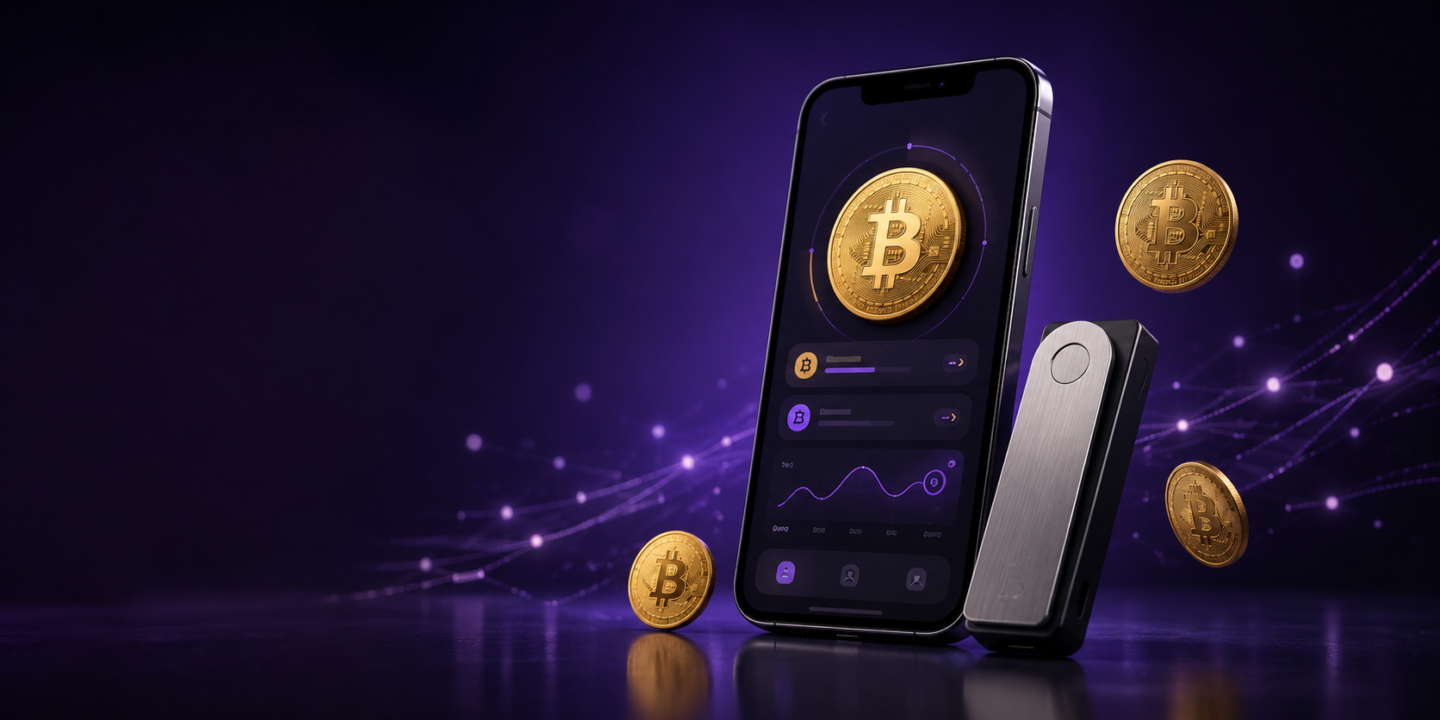
The best bitcoin wallets in India depends on how you plan to use and protect your BTC. A mobile wallet may suit frequent access, while a hardware wallet may be better suited to users who want to keep their private keys away from an internet-connected device. An exchange wallet can simplify INR deposits and trading, but it uses a different custody model from a personal wallet.
This guide compares eight Bitcoin wallet options relevant to Indian users across hardware, mobile, desktop and Bitcoin-focused categories. Check current India availability, pricing and supported services before choosing. The comparison focuses on custody, convenience, recovery, security features and Bitcoin support-not on a universal claim that one wallet is safest for everyone.
9 Best Bitcoin wallets in India at a glance
Wallet
Type
Custody model
Cost model
Best suited for
Ledger Nano S Plus
Hardware wallet
Non-custodial
Hardware purchase; check the current official price
Users seeking a widely supported hardware wallet with desktop or Android access
Trezor Safe 3
Hardware wallet
Non-custodial
Hardware purchase; check the current official price
Users who value open-source design, on-device confirmation and a Secure Element
MetaMask
Mobile and browser wallet
Non-custodial
Free to download; network and provider fees may apply
Users who want Bitcoin alongside Web3 and multi-network access
Hardware purchase; check the current official price
Users looking for QR-based, air-gapped signing
Tangem Wallet
NFC hardware wallet
Non-custodial
Hardware purchase; check the current official price
Beginners who prefer a card-based wallet and backup-card design
Trust Wallet
Mobile and browser wallet
Non-custodial
Free to download; network and provider fees may apply
Mobile-first users who want Bitcoin and multi-chain access
Exodus
Desktop, mobile and browser wallet
Non-custodial
Free to download; network and provider fees may apply
Users who want a multi-platform wallet and portfolio tools
Electrum
Bitcoin-focused software wallet
Non-custodial
Free to download; network fees may apply
Bitcoin-only users who want a focused interface and advanced controls
BlueWallet
Bitcoin and Lightning wallet
Non-custodial for its standard Bitcoin wallet; check the exact Lightning setup
Free to download; network fees may apply
Users who want a Bitcoin-focused mobile wallet with Lightning features
The table is a starting point, not a recommendation to purchase any specific product. Hardware prices, taxes, shipping and regional availability should be checked on the manufacturer’s official website.
Best for: Users seeking a hardware wallet for Bitcoin and other supported assets.
Ledger Nano S Plus is a compact, battery-free hardware wallet that connects through USB-C. Ledger’s current product information lists desktop and Android compatibility and states that the device does not work with iOS devices. It uses a Secure Element chip, a Trusted Display and Ledger OS, while transactions are reviewed and approved on the device through compatible Ledger software. Ledger’s product information also lists support for thousands of coins, tokens and NFTs through compatible wallets, with a smaller supported set available directly through Ledger Wallet.
Ledger’s official product page should be used to check the latest supported-asset list, device price and compatibility before purchase. Product counts and supported networks can change.
Advantages
Private-key management is separated from a normal mobile or desktop wallet interface.
Bitcoin and many other supported assets can be managed through Ledger’s software.
The device is small and connects through USB-C.
A recovery method allows access to be restored on a replacement compatible device if the backup is available and used correctly.
Limitations
It does not support iOS devices according to the current official product listing.
It requires more setup than a mobile wallet.
The device price and supported-asset list should be checked before purchase.
A hardware wallet does not protect users who reveal their recovery information or approve a malicious transaction.
2. Trezor Safe 3
Best for: Users who value open-source design, on-device confirmation and a current Trezor hardware-wallet model.
Trezor Safe 3 is a hardware wallet with Secure Element protection, open-source design and on-device transaction confirmation, according to Trezor’s current product information. It is USB-powered rather than battery-powered and supports Bitcoin and other assets listed in the current Trezor Suite documentation. Its backup options include standard 12-, 18- or 24-word BIP39 backups and SLIP39 backups, including multi-share recovery for users who want to distribute backup responsibility.
The Trezor Model T should not be presented as a current new-device recommendation without qualification. Trezor announced that the Model T and Model One would no longer be available through its e-shop from 8 January 2026. Existing-device support and new-device availability are separate questions, so readers should check Trezor’s current product and support pages.
Advantages
Transaction details can be checked on the hardware device before approval.
Trezor highlights open-source design and Secure Element protection for Safe 3.
It is designed for self-custody and long-term key management.
Limitations
It requires a purchase, setup and secure backup.
Users must check the current list of supported coins, tokens and networks.
Losing the device is manageable only if the supported backup method has been created and protected.
3. SafePal S1
Best for: Users who prefer air-gapped, QR-based transaction signing.
SafePal S1 is a hardware wallet that uses encrypted QR codes to move transaction data between the device and the SafePal app. SafePal describes the S1 as using air-gapped signing, with no Wi-Fi, Bluetooth, NFC or USB connection for transaction signing. The user creates a transaction in the app, scans it with the S1, confirms it on the device and scans the signed transaction back into the app. Its current product page also lists a Secure Element, open-source components, a self-destruct mechanism and support for more than 200 blockchains.
These are manufacturer-provided features, so compare the exact S1 model and current specifications before purchasing.
Advantages
QR-based signing reduces the need for a direct cable or wireless connection during transaction approval.
The device supports Bitcoin and multiple blockchain networks.
It can suit users who want a hardware wallet without relying on Bluetooth for signing.
Limitations
QR-based transfers add an extra step to the transaction process.
The device and its backup still need to be protected from loss, damage and unauthorised access.
Users should confirm the supported network and asset before sending funds.
4. Tangem Wallet
Best for: Beginners who prefer a card-based hardware wallet and multi-card backup.
Tangem Wallet uses NFC-enabled cards with a mobile app and does not require a battery, cable or charging. Tangem describes the product as seedless by design, with backup cards replacing the traditional recovery-seed approach by default. The company also says that a recovery phrase can be optional for users who choose to configure one. A user can create one or two additional card backups, but those backups must be stored separately and securely.
The backup-card design can simplify recovery for some users, but it does not remove responsibility. Follow Tangem’s setup instructions, create the recommended backups and store the cards separately and securely.
Advantages
The card format is compact and works through a compatible phone’s NFC function.
Multiple cards can be configured as backups for the same wallet.
The default seedless setup may be easier for users who do not want to manage a written seed phrase.
Limitations
A compatible NFC-enabled phone is required for normal use.
Users must understand how the card backups work before transferring funds.
Losing every backup and configured recovery method may prevent access.
5. Trust Wallet
Best for: Mobile-first users who want Bitcoin alongside multiple blockchain networks.
Trust Wallet describes itself as a free, self-custody wallet supporting more than 100 blockchains and millions of assets. Its official website lists mobile apps for iOS and Android and a browser extension. Bitcoin is included among the supported networks shown on the site. The wallet also combines sending, receiving, buying, swapping, staking, NFT management and access to decentralised applications, although specific services can depend on the network and location.
Trust Wallet’s current security information highlights encrypted cloud backup, independent audits and proactive alerts for risky transactions. These features do not remove the need to protect the recovery information: the user remains responsible for the wallet and transaction approvals.
Because Trust Wallet is a hot wallet, the user’s phone, browser, recovery phrase and transaction approvals remain important parts of the security model. Download the app or extension only from Trust Wallet’s official channels.
Advantages
Mobile and browser access.
Bitcoin support alongside multi-chain functionality.
Self-custody model in which the user controls the wallet’s recovery information.
Access to supported swaps, apps and other features within the wallet ecosystem.
Limitations
An internet-connected wallet has more online exposure than an offline hardware wallet.
The user is responsible for protecting the recovery phrase and approving only legitimate transactions.
Availability of purchase, swap and other services can depend on location and third-party providers.
6. Metamask
Best for: Users who want Bitcoin alongside Web3 applications and multi-network access.
MetaMask is a self-custody wallet available as a browser extension and mobile app. It was historically associated with Ethereum and EVM-compatible networks, but its current product information lists Bitcoin, Solana and other popular networks. This makes it relevant to users who want to manage Bitcoin while also connecting to decentralised applications and other blockchain ecosystems.
The current MetaMask product pages describe buying, selling, swapping and sending assets, transaction previews and connections to decentralised applications. Availability of assets, payment methods and services can vary by country and network, so Indian users should check the live app and provider terms before relying on a particular feature.
Advantages
Self-custody access through mobile and browser interfaces.
Current product support for Bitcoin alongside Ethereum, Solana and other networks.
Broad Web3 and decentralised-application ecosystem.
In-wallet transaction previews and security features documented by MetaMask.
Limitations
A hot wallet remains exposed to risks affecting the phone, browser and connected applications.
MetaMask is a common phishing target because of its popularity; download it only from official channels.
Network-specific address formats, fees and application risks require careful checking.
The user is responsible for the Secret Recovery Phrase and transaction approvals.
7. Exodus
Best for: Users who want a multi-platform wallet with portfolio and swap features.
Exodus is available through desktop, mobile and browser experiences, according to its official website. It supports Bitcoin and other assets, and provides portfolio-management, price tracking, buying, selling and swap functionality through the wallet interface. Exodus uses a recovery phrase for backup and documents integrations with selected Ledger and Trezor hardware wallets. Hardware-wallet support, available assets and third-party services should be checked for the exact device and platform combination before use.
Desktop, mobile and browser availability.
Bitcoin support alongside a broader multi-asset wallet.
Portfolio tracking and supported swap features.
Hardware-wallet integrations for selected devices and platforms.
Limitations
Users should check the live supported-assets and network list before transferring funds.
Provider fees, spreads and payment methods for purchases can vary by location and third-party provider.
Additional features can add complexity compared with a Bitcoin-only wallet.
8. Electrum
Best for: Bitcoin-only users who want a focused wallet and support for advanced tools.
Electrum is a Bitcoin-focused wallet. Its official website lists hardware-wallet support for devices including Ledger, Trezor and KeepKey, as well as plugins for features such as multisig services and hardware wallets.
Electrum can suit users who want a Bitcoin-only environment, but its interface and setup may be less approachable for someone using a self-custody wallet for the first time.
Advantages
Focused on Bitcoin rather than multiple unrelated networks.
Supports hardware-wallet connections.
Offers plugins and tools for more advanced Bitcoin users.
Available as open-source software under the MIT licence, according to its official website.
Limitations
It is not a multi-chain wallet.
The interface may require more Bitcoin knowledge than a beginner-focused mobile wallet.
Download Electrum only from its official website and verify the software before use.
9. BlueWallet
Best for: Users who want a Bitcoin-focused mobile wallet with Lightning and watch-only features.
BlueWallet describes itself as free and open-source software for Bitcoin, with iOS and Android support. Its official site also lists on-chain Bitcoin wallets, Lightning wallets, watch-only wallets and multisig features. Watch-only wallets let users monitor an address or extended public key without importing private keys, while multisig vaults require multiple keys to spend funds. BlueWallet also documents transaction controls such as fee adjustment, Replace-by-Fee and Child-Pays-for-Parent for supported on-chain transactions.
Lightning wallets have their own operational and custody considerations. Read the current documentation carefully before using Lightning for payments or moving funds into a setup you do not understand.
Advantages
Bitcoin-focused mobile experience.
Lightning support for users who understand the additional setup requirements.
Open-source software and watch-only wallet functionality.
Supports hardware-wallet workflows through watch-only and PSBT features on supported platforms.
Limitations
It is not designed as a general multi-chain wallet.
Lightning and on-chain Bitcoin are different transaction environments; users should understand the distinction before sending funds.
The exact custody and recovery model can differ by wallet type, so read the current documentation.
There is no single best bitcoin wallets for any user. Compare the following factors before making a decision.
Custodial vs non-custodial wallets
In a custodial wallet, a third party-often an exchange or platform-manages the private keys or account custody for you. This can make password recovery and trading simpler, but you depend on the provider for account access, withdrawals and security.
In a non-custodial wallet, you control the wallet’s recovery information and are responsible for protecting it. This provides more direct control, but there may be no password-reset process if the recovery information is lost.
Custodial and non-custodial are separate from hot and cold. A software wallet can be non-custodial and hot, while a hardware wallet can be non-custodial and cold.
Hot wallet vs cold wallet
A hot wallet is connected to the internet through a mobile app, desktop application or browser extension. It is convenient for regular transactions, but the connected device and browser environment create more online exposure.
A cold wallet keeps the private-key operation offline until the user connects or scans the device to approve a transaction. Hardware wallets can reduce online exposure, but they involve a purchase, setup process and careful backup.
Many users choose to keep a smaller working balance in a hot wallet and use a hardware wallet for funds they do not need to access frequently. This is a general security approach, not personalised financial advice.
Before transferring Bitcoin, confirm all of the following:
The wallet supports Bitcoin, not only tokens on another network.
The sending and receiving services support the same network and address format.
You are using the correct asset and destination address.
The wallet supports the transaction type you intend to use, such as on-chain Bitcoin or Lightning.
Never choose a wallet based only on its name or the number of assets it advertises.
Recovery design
Traditional self-custody wallets usually use a recovery phrase. Write it down using the wallet provider’s recommended method and keep it offline. Never share it with a support agent, enter it into a website or store it in an exposed screenshot or chat.
Some hardware wallets, such as Tangem, use a card-based backup model instead of requiring a recovery phrase by default. This can be more convenient for some users, but you still need to understand and protect the configured backup method.
The wallet app may be free, but using Bitcoin can involve network fees. Hardware wallets have a purchase cost, while swaps, purchases, withdrawals and third-party services may have additional charges or spreads. Check the current fee information for the specific wallet and service.
Also check whether the wallet is currently available in India, whether the app is supported on your device, and whether any payment or service requirements apply to the provider you use.
Should you keep Bitcoin on an exchange or move it to a wallet?
Keeping Bitcoin on an exchange would be convenient when you are buying, selling or actively trading. The exchange manages custody, so you do not have to set up a separate wallet or protect a self-custody recovery phrase. The trade-off is that access to the account and withdrawals depends on the provider’s systems, security controls and terms.
Moving Bitcoin to a personal wallet gives you direct control of the wallet’s recovery information. It also means that you are responsible for protecting the recovery information, device, address and transaction approvals. If you lose the required recovery information or send funds to the wrong address, recovery may not be possible.
There is no universal answer for every user. Compare convenience, custody, transaction frequency, amount, recovery responsibility and the provider’s current terms before deciding.
If you prefer the convenience of exchange custody, Mudrex is a crypto platform for buying and trading Bitcoin in India. Mudrex is registered with the Financial Intelligence Unit of India (FIU-India) and funds held are insured. It supports buying Bitcoin directly with INR through UPI or any other medium, which can make the purchase process simpler for Indian users. You can review Mudrex’s security and compliance information and the current Bitcoin buying flow before deciding.
Common risks of holding Bitcoin in a personal wallet
Lost recovery information: A lost or incorrectly recorded recovery phrase may prevent access to the wallet.
Phishing and fake apps: A fraudulent website, extension or app can be designed to steal passwords or recovery information.
Wrong address or network: Bitcoin transactions are generally irreversible once confirmed. Check the address and network carefully.
Malware: Malware can change a copied wallet address before you approve a transfer. Review the destination on the signing device whenever possible.
Lost hardware device: Losing the device does not automatically mean losing funds if the supported backup is safely available. Losing both the device and backup can create a serious recovery problem.
Third-party services: Buying, swapping or using other services inside a wallet may involve separate providers, fees and risks.
How Do Bitcoin Wallets Affect Taxes in India?
A Bitcoin wallet is not taxed simply because it stores BTC. Tax questions generally arise from the transactions carried out using the wallet, such as selling or transferring a virtual digital asset (VDA). A self-custody wallet gives you more direct control over your keys, but it does not remove your responsibility to maintain records and follow applicable tax and reporting rules.
Under Section 115BBH of India’s Income-tax Act, income from the transfer of a VDA is taxed at 30%. The Income Tax Department states that only the cost of acquisition can be considered while computing this income; other expenses, allowances and losses generally cannot be deducted or set off under this provision. Read the official Section 115BBH guidance for the statutory wording.
Section 194S provides for 1% tax deducted at source (TDS) on consideration paid to a resident for the transfer of a VDA, subject to applicable conditions and thresholds. The current official guidance identifies thresholds of ₹50,000 for a specified person and ₹10,000 for other payers during the financial year. The exact treatment can depend on the transaction and the parties involved, so not every movement between wallets should automatically be treated as a TDS-triggering sale. See the official Section 194S guidance before filing or relying on a tax position.
When you use an exchange or move Bitcoin between an exchange and a personal wallet, keep records that can help reconcile your activity. These may include:
Purchase dates, quantities and acquisition costs;
Sale or swap details and the consideration received;
Network fees, platform fees and other documented charges;
Transaction IDs and the relevant wallet addresses;
Exchange statements and TDS records, where applicable; and
Bank or payment records associated with deposits and withdrawals.
A transfer between wallets that you control is not automatically the same as selling Bitcoin merely because it appears on the blockchain. Tax treatment depends on the facts of the transaction and the rules applicable to you. This section is for general education only, not tax advice; consult a qualified tax professional and check the latest official guidance before filing.
Conclusion
The best Bitcoin wallet in India is the one that matches your use case and your ability to manage its security responsibilities. A mobile wallet can be convenient for regular access, while a hardware wallet can reduce exposure to internet-connected devices. A Bitcoin-focused wallet can keep the experience simple, while a multi-chain wallet may suit users who hold several types of crypto.
Before choosing, verify the wallet’s current Bitcoin support, custody model, recovery process, device compatibility, fees and official download or purchase channel. Start with a small test transaction and never share your recovery phrase or private keys.
Frequently asked questions
What is the best Bitcoin wallet in India?
There is no single best Bitcoin wallet for everyone. Choose based on custody, device access, Bitcoin support, recovery design, fees and how often you need to transact. Mobile wallets prioritise convenience, while hardware wallets prioritise offline key management.
Which type of Bitcoin wallet is safest?
Hardware wallets can reduce exposure to internet-connected devices, but they do not eliminate risk. The user must still buy from an authentic source, protect the backup and verify every transaction. A well-managed hot wallet may be more practical for frequent use, but it remains more connected to online threats.
What is the difference between a hot wallet and a cold wallet?
A hot wallet is connected to the internet and is convenient for regular access. A cold wallet keeps private-key operations offline until a transaction is approved through the device. Cold wallets generally add setup and recovery responsibility in exchange for reduced online exposure.
What is the difference between custodial and non-custodial wallets?
In a custodial wallet, a provider manages custody or private keys. In a non-custodial wallet, the user manages the recovery information and controls access. Custodial wallets can simplify account recovery, while non-custodial wallets provide more direct control but require more responsibility.
Can I keep Bitcoin on an exchange?
Yes. An exchange account can be convenient for buying, selling and trading Bitcoin. However, it is different from a personal self-custody wallet because the provider manages the account custody and withdrawal process. Review the provider’s current terms and security controls before using it.
How do I recover a Bitcoin wallet if I lose my phone or hardware device?
Recovery depends on the wallet’s backup design. A compatible recovery phrase or supported backup can allow restoration on another device. If the required recovery information is lost, recovery may not be possible. Follow only the wallet provider’s official recovery instructions.
Do Bitcoin wallets charge fees?
The wallet application may be free, but Bitcoin transactions can involve network fees. Hardware devices have a purchase cost, and swaps, purchases, withdrawals or other third-party services may have additional fees or spreads. Check the current fee information for the wallet and service you use.
Can I buy Bitcoin in India and move it to a personal wallet?
Whether and how you can buy or withdraw Bitcoin depends on the platform, payment method, current service availability and applicable requirements. Before transferring funds, confirm the destination address, network, withdrawal rules and fees on both services.
Anush is a crypto researcher dedicated to making blockchain insights clear and accessible. A proud Solana maxi who still appreciates a good Layer 2 debate, he dives deep into market trends so others don’t have to (but really should). Passionate about simplifying crypto, he strives to make the space less intimidating and a lot more relatable, one report at a time.