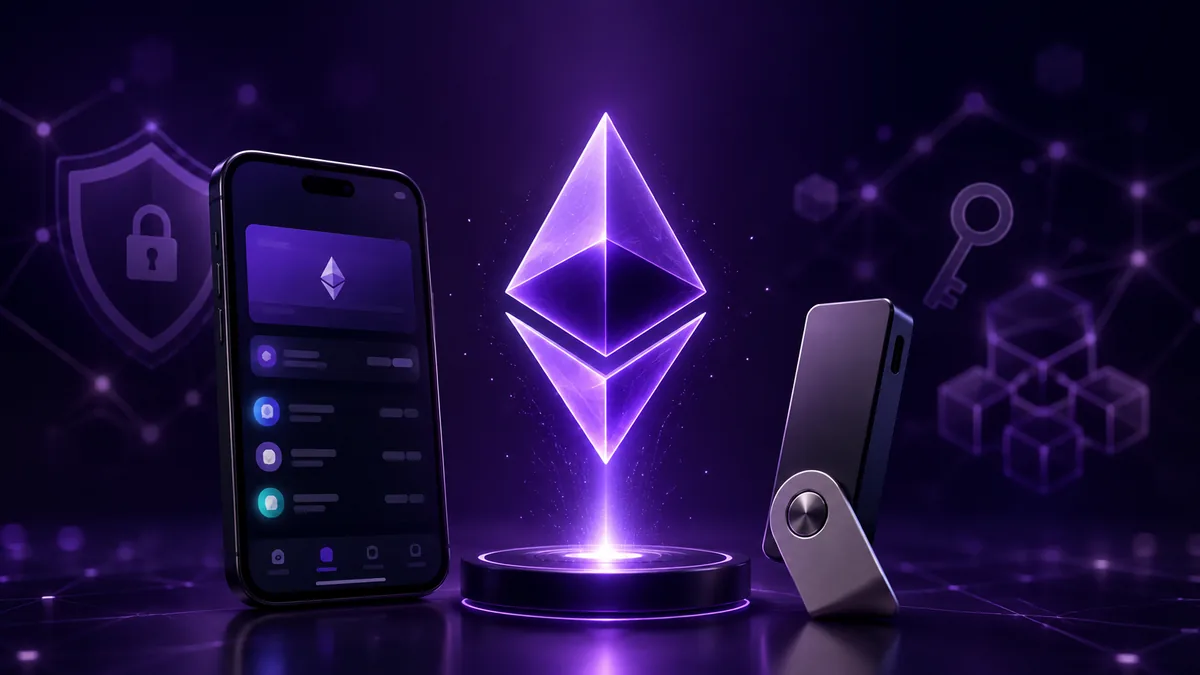

Ethereum wallet is an software application, hardware device or other wallet interface that lets you interact with Ethereum accounts. You can use a wallet to send and receive ETH, manage supported tokens, sign transactions and messages, and connect to decentralised applications (dApps). Despite the name, a wallet does not physically store your ETH. ETH and other Ethereum-based assets are recorded on the blockchain. A wallet provides the interface and cryptographic credentials needed to interact with the account that controls those assets. Choosing an Ethereum wallet is therefore about more than convenience. You should consider who controls the keys, how they are protected, what you plan to do with your ETH and how comfortable you are managing your own security.
View Ethereum’s live price, chart, market data and technical analysis.

An Ethereum wallet is a tool that lets you interact with an Ethereum account and the assets and applications associated with it. Depending on the wallet, you can use it to:
A wallet can be a mobile application, browser extension, desktop application, hardware device or smart-contract-based wallet.
Check the live ETH to INR price.
The terms wallet, account and address are often used interchangeably, but they describe different things. An Ethereum account is an entity on the Ethereum network that can hold ETH and tokens and interact with smart contracts. Ethereum has two broad account types:
A wallet is the interface or application that lets you interact with an Ethereum account. A wallet can manage one or more accounts depending on how it is designed and configured. An Ethereum address is the public identifier associated with an account. A typical EOA address begins with 0x and contains 40 hexadecimal characters after the prefix. A private key is the secret cryptographic credential used to sign transactions for an EOA. A recovery phrase, also called a seed phrase or Secret Recovery Phrase depending on the wallet, is a human-readable backup that compatible wallet software can use to restore accounts derived from it.
A simplified way to understand a typical self-custody wallet is: Recovery phrase -> derived private key -> public key -> Ethereum address. The exact derivation process can involve additional standards and derivation paths, so this is a conceptual overview rather than a complete description of wallet key generation. For an EOA, the private key is used to create signatures that authorise transactions. The public key is derived from the private key, and the Ethereum address is derived from the public key. Think about the credentials this way:
| Credential | What it does | Should you share it? |
|---|---|---|
| Ethereum address | Lets others send assets to your account | Yes |
| Public key | Part of the account’s public cryptographic identity | Generally public |
| Private key | Authorises transactions for an EOA | Never |
| Recovery/seed phrase | Can restore the wallet and its derived accounts | Never |
Your address is for receiving. Your private key and recovery phrase are for control and must remain secret.
Ethereum Wallet vs Ethereum Account
An Ethereum account is an entity on the blockchain. A wallet is the interface used to interact with that account. Ethereum has two account types:
Both types can hold ETH and tokens and interact with smart contracts, but contract accounts do not have private keys in the same way EOAs do. Their behaviour is determined by smart-contract code. Most beginners first encounter EOAs through conventional software or hardware wallets. Smart-contract wallets become more relevant when you explore features such as multisig, programmable access controls and account abstraction.
Wallet technology continues to evolve. Account-abstraction approaches, including smart-contract wallets and EIP-7702-style delegation, can support features such as transaction batching, sponsored gas or flexible recovery. As a result, not every modern wallet experience maps neatly to the traditional model in which one seed phrase controls one EOA.
Also Read : Ethereum Smart Contracts and Dapps
Ethereum wallets can be classified in several ways, and the categories can overlap. For example, a browser extension can be a software wallet, hot wallet and non-custodial wallet at the same time.
A hot wallet is connected to the internet. Mobile wallets and browser extensions are common examples. Hot wallets are convenient for regular transactions, token swaps, DeFi and dApp activity because you can interact with applications directly from the wallet interface. The trade-off is greater exposure to online threats. Phishing websites, malicious dApps, compromised devices, fake wallet applications and fraudulent transaction requests are risks to consider. A cold wallet is designed to keep the credentials used to control your assets isolated from an internet-connected environment. Hardware wallets are the most common example. Cold storage can be useful for assets you do not need to access frequently, while hot wallets are generally more convenient for regular activity. Some users therefore keep a smaller working balance in a hot wallet while using cold storage for longer-term holdings.
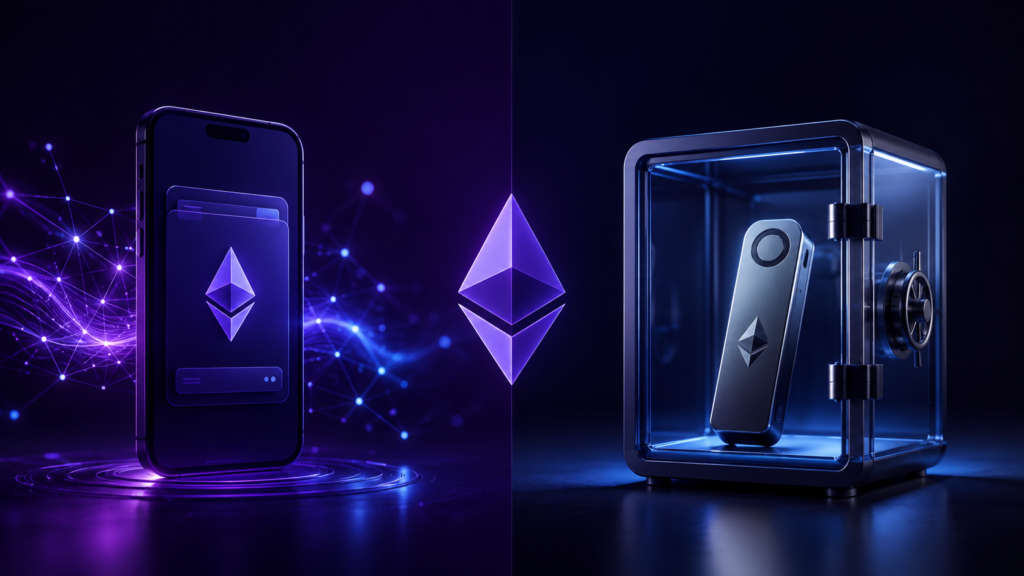
Another important distinction is who controls the keys. With a custodial wallet, a third party manages the underlying keys on your behalf. This can provide a more streamlined account-access and recovery experience, while also meaning that the provider is responsible for managing custody of the assets. With a non-custodial or self-custody wallet, you control the credentials needed to access your assets. This gives you direct control, but it also means you are responsible for protecting your recovery phrase and private keys. If you lose the recovery credentials for a self-custody wallet and have no alternative recovery method, there may be no central authority that can restore access.
A software wallet runs on a phone, computer or browser. It is generally convenient for regular transactions and Web3 activity. A hardware wallet is a physical device designed to protect private keys and recovery credentials while transactions are signed. Hardware wallets can add a physical security layer because approving a transaction generally requires interaction with the device. Hardware wallets can be useful for larger or longer-term holdings, but they do not eliminate every risk. You still need to protect your recovery phrase and verify transaction details before approving a transaction.
Also Read: Ethereum Liquidation Map guide
There is no single best Ethereum wallet for everyone. The right choice depends on whether you prioritise convenience, self-custody, hardware security, mobile access, DeFi activity or shared control. Here is a high-level comparison of several well-known Ethereum-compatible wallet options:
| Wallet | Type and custody | Best suited to |
|---|---|---|
| MetaMask | Self-custody software wallet; supports compatible hardware wallets | Beginners, Web3 and EVM activity |
| Rabby | Self-custody software wallet; supports compatible hardware wallets | DeFi users who want detailed transaction review |
| Trust Wallet | Self-custody software wallet; current integrations vary | Mobile users and multi-chain activity |
| Ledger | Self-custody hardware wallet | Long-term holdings and offline key protection |
| Trezor | Self-custody hardware wallet | Hardware-based self-custody |
| Safe | Self-custody smart-contract wallet with compatible signing setups | Multisig, teams and shared on-chain funds |
The exact networks, dApps and hardware integrations supported by each wallet can change over time. Check the provider’s current documentation before transferring funds or purchasing a device. Safe is structurally different from a conventional single-key wallet because it uses smart-contract wallet infrastructure and can support multisig arrangements and programmable access controls.
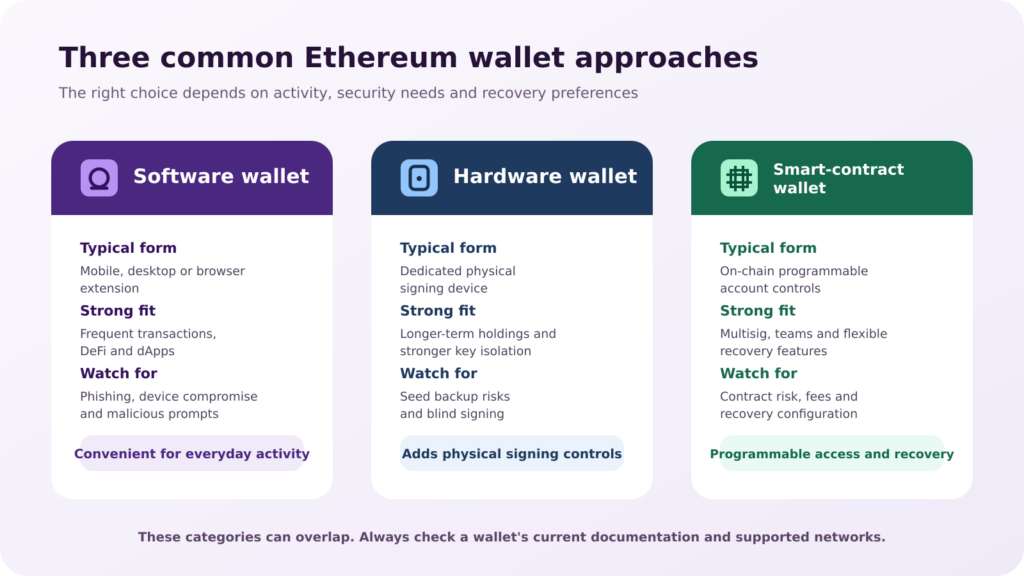
Start with how you plan to use Ethereum.
| If you… | Look for… |
|---|---|
| Use Ethereum occasionally | Simple interface and straightforward recovery |
| Use DeFi and dApps regularly | Broad dApp compatibility and clear transaction previews |
| Hold ETH long term | Hardware-wallet support and strong key protection |
| Primarily use your phone | A reputable mobile wallet with appropriate security controls |
| Manage shared funds | Multisig or smart-contract wallet functionality |
| Want advanced Web3 features | Smart-contract wallet and account-abstraction features |
The most popular wallet is not automatically the best wallet for you. Choose based on your activity, security requirements and experience level.
Creating an Ethereum wallet usually does not take long. The most important part of setup is understanding what happens when the wallet generates your recovery credentials and how those credentials must be protected. The exact process varies by wallet, but a typical self-custody software-wallet setup follows a similar sequence.
If you’re setting up a new self-custody wallet, you will generally:
Visit the wallet provider’s official website or use the official app-store listing. Avoid links received through unsolicited messages, advertisements or social media.
Follow the wallet’s setup instructions and select the option for a new wallet or account.
Create the available password, PIN or device authentication.
The wallet may generate a seed phrase, recovery phrase or Secret Recovery Phrase. This is highly sensitive information because compatible wallet software can use it to restore access to the wallet’s derived accounts.
Keep it offline and protected from unauthorised access. Never share it with anyone.
Many wallets ask you to confirm selected words from the recovery phrase to verify that you recorded it correctly.
Once setup is complete, the wallet can display the Ethereum account and its 0x address.
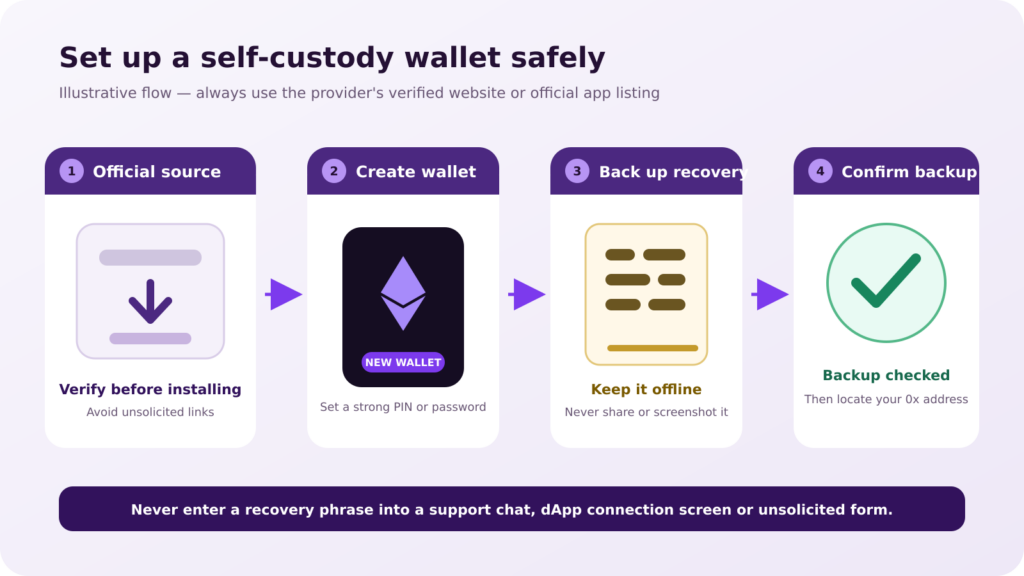
The first security decision is choosing the correct wallet software or device. Fake wallet websites, browser extensions and mobile applications can look similar to legitimate products. Verify the provider’s official website and make sure you are using the genuine application or device before creating a wallet or entering recovery information. After setup, make sure you know where to find:
Enable the security features available on your device or wallet, such as a strong password, PIN or biometric authentication. If you’re using a hardware wallet, follow the manufacturer’s setup process and verify the recovery procedure before transferring a significant amount of ETH.
Your Ethereum wallet address is the public 0x identifier associated with your account. In most wallets, you can find it by selecting Ethereum and choosing Receive. The wallet will normally display the address along with a QR code. Before sharing or using the address:
Your Ethereum address is public. Sharing it allows someone to send assets to the account, but it does not give them control over the funds. Transaction activity associated with the address can generally be viewed publicly on the blockchain. For a related explanation, see Mudrex’s Bitcoin wallet address guide.
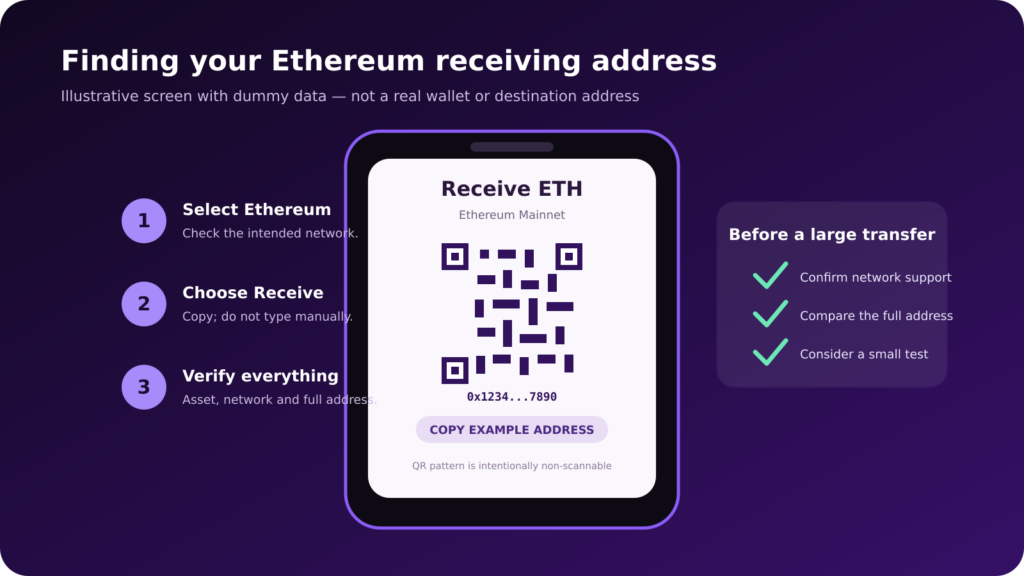
To receive ETH:
Before the transfer is sent, check two things carefully:
Ethereum and several EVM-compatible networks use the same general 0x address format. That does not mean every platform supports every network. An 0x address alone does not tell you which network a transfer should use. If you’re unsure, check the receiving platform’s deposit instructions before sending. For a significant transfer, a small test transaction can help confirm that everything is configured correctly.
An Ethereum account can generally hold ETH and supported ERC-20 tokens using the same address. You do not need a separate wallet for every Ethereum-based token. Your account can interact with multiple assets issued on Ethereum. Some wallets may not automatically display every token, so you may need to add or import a supported token before its balance appears in the interface. For more information about the ERC-20 token standard, read Mudrex’s ERC-20 explainer.
When you use a DeFi protocol or another dApp, you may be asked to approve a smart contract to spend a specified amount of your tokens. This is different from simply holding a token. A token approval can give a smart contract permission to spend tokens on your behalf within the scope of that allowance. Review what you are authorising instead of automatically confirming every request.
Connecting a wallet normally lets a dApp request your public account address and ask the wallet to sign messages or transactions. The connection itself should not reveal your private key. The meaningful risk begins with the permissions and signatures you approve after connecting.
A signature can be harmless, such as proving control of an address, or it can authorise an on-chain action. Transaction simulation and clearer signing previews can help, but you should still check the domain, network, contract and requested permission before approving anything.
Ethereum wallets can support networks beyond Ethereum mainnet, including Layer-2 networks and other EVM-compatible networks. These networks can offer different transaction costs, speeds and applications. Broader network support can also make it easier to select the wrong network when transferring funds. Remember: Same address format does not mean same network. Before sending funds:
Gas is the unit used to measure the computational work required to perform operations on Ethereum. A gas fee is the amount paid for that computation. Every Ethereum transaction requires computational resources. Users pay for those resources through network fees. Gas fees are paid in Ethereum’s native currency, ETH, and gas prices are commonly quoted in gwei. 1 gwei = 0.000000001 ETH. The total fee depends on how much gas the operation uses and the price paid per unit of gas.
Different transactions require different amounts of computation. A simple ETH transfer generally requires less computational work than a complex smart-contract interaction. The price per unit of gas can also change with network conditions. Under Ethereum’s fee mechanism, the fee market includes a base fee and a priority fee. The base fee is determined by the protocol, while the priority fee acts as an additional payment to encourage validators to include a transaction. This means the same type of transaction can cost different amounts at different times.
Your wallet will usually estimate the network fee before you approve a transaction. Before confirming a transaction, check:
Gas fees are separate from the amount of ETH or tokens being transferred. For a deeper explanation, see Mudrex’s Ethereum gas fee guide.
Most wallet security problems do not happen during setup. They happen later, when someone clicks a phishing link, approves a malicious transaction, exposes their recovery phrase or signs something they do not understand. A wallet can provide security features, but it cannot make every decision for you. How you use the wallet matters just as much as the wallet itself.
For a self-custody wallet, the recovery phrase can restore access to the wallet’s derived accounts. Write it down and keep it somewhere secure. Never:
Your Ethereum address is different. It is public and can be shared when receiving ETH. Your recovery phrase and private keys should remain secret.
If you use Ethereum regularly, you’ll eventually interact with smart contracts and dApps. This is where transaction security becomes especially important. Before approving a transaction, check:
Do not assume that a familiar-looking dApp is safe. A malicious website can imitate a legitimate protocol and ask you to approve a transaction or permission that puts your assets at risk.
Some protocols may request permission to spend a large amount of a token. Review the allowance before approving it. If you no longer need an approval, consider revoking it through a reputable token-approval management tool.
A software wallet is convenient for everyday Ethereum activity, especially if you regularly use DeFi, DEXs or dApps. A hardware wallet can add a physical security layer by keeping the credentials used to sign transactions on a dedicated device. However, a hardware wallet is not a magic shield. You still need to protect the recovery phrase and verify transaction details before signing. Some users keep long-term holdings in cold storage while using a separate software wallet for day-to-day Web3 activity. This can limit the amount exposed if the active wallet is compromised.
Read the Ethereum price prediction guide.
There is no single best Ethereum wallet for everyone. Think about how you actually plan to use Ethereum.
| Your priority | What to consider |
|---|---|
| Simplicity | Easy interface and straightforward recovery |
| DeFi and dApps | dApp compatibility and clear transaction previews |
| Long-term holding | Hardware-wallet support and key protection |
| Mobile access | Reputable mobile wallet and strong device security |
| Multi-chain activity | Supported networks and assets |
| Shared funds | Multisig or smart-contract wallet functionality |
| Advanced Web3 | Smart-contract wallet and account-abstraction features |
Popular options such as MetaMask, Rabby, Trust Wallet, Ledger, Trezor and Safe serve different purposes. The right choice is less about picking the most popular name and more about matching the wallet to your activity, security requirements and level of experience.
Also read: Ethereum macro headwinds.
An Ethereum wallet and a crypto exchange account are not necessarily the same thing. With a self-custody wallet, you control the credentials used to access the assets. With a custodial exchange account, the platform manages the underlying keys on your behalf and provides an account interface for accessing your assets. This can offer a more streamlined account recovery experience, while also meaning that the platform is responsible for managing custody of the assets. The key question is: Who controls the keys and how can access be recovered?
Some wallets and connected services provide access to Ethereum staking applications or services. However, simply holding ETH in a wallet does not mean that the ETH is being staked. Staking involves participating in Ethereum’s proof-of-stake system, either directly or through a staking service or protocol. The method you choose can affect your control, liquidity, technical requirements and risks. If you’re exploring staking, read Mudrex’s crypto staking guide for an introduction to how staking works.
Also Read: How to stake Ethereum
An Ethereum wallet is a tool for interacting with Ethereum accounts and the assets and applications associated with them. Understanding the difference between a wallet, account, address, private key and recovery phrase is the foundation for using Ethereum safely. If you choose self-custody, that control comes with responsibility. Protect your recovery phrase. Verify addresses and networks. Understand gas fees. Review token approvals. Read what you’re signing. Be careful about the dApps you connect to. Those habits matter more than having the newest wallet or the longest list of features.
To keep learning, explore Mudrex Learn and follow the Mudrex YouTube channel for practical crypto education. Always assess product, custody, market and protocol risks before committing funds.
An Ethereum wallet is software, hardware or another interface used to manage Ethereum accounts, sign transactions, receive assets and interact with dApps.
No. ETH balances and transactions are recorded on Ethereum. The wallet manages the credentials and interface used to control an account.
A standard Ethereum address begins with 0x and is followed by 40 hexadecimal characters. Mixed-case EIP-55 formatting can provide checksum information.
Yes. MetaMask is a software wallet used to manage Ethereum accounts and connect to Ethereum-compatible dApps and networks. Always verify the network before transacting.
Yes. One Ethereum account can hold ETH and many ERC-20 tokens. A wallet may need token metadata before every balance is visible in its interface.
For a traditional self-custody wallet, losing the recovery phrase can make recovery impossible if you also lose access to the wallet. Some newer smart-account wallets can use different recovery systems.
Yes, if the hardware wallet and wallet interface support the connection. The device can isolate keys, but you still need to review transaction details before signing.
Ethereum addresses are hexadecimal values, but mixed-case EIP-55 formatting can encode a checksum. The safest practice is to copy the complete address exactly as provided rather than retyping or changi
Before confirming a transaction, check:
The recipient address
The asset
The network
The amount
The estimated gas fee
Any additional permissions or approvals
For a large transfer, a small test transaction can help confirm that the setup is correct.
A hardware wallet can add a physical layer of security by keeping the credentials used to sign transactions on a dedicated device. However, it does not eliminate every risk. You still need to protect the recovery phrase and verify transactions before signing. For everyday Web3 activity, some users prefer a software wallet with a smaller working balance while keeping longer-term holdings in cold storage.
Some wallets provide access to staking services or applications, but simply holding ETH in a wallet does not mean it is being staked. The staking method you choose affects how your ETH is used, what control you retain and what risks or liquidity limitations may apply. For more information, read our crypto staking guide
A wallet can provide strong security, but no wallet eliminates every risk. Security depends on the wallet’s design as well as how you use it. Protect your recovery phrase, use official wallet software, keep your device secure, verify addresses and networks, review transaction details and be cautious with unfamiliar dApps and token approvals.